SimBot: A Simple Chatbot 🗨️
As discussed in my previous post, SimBot will be built in phases. In this post, I’ll share details about the first phase; building a simple chatbot. Starting small helps me build a solid understanding of chatbots and how they are set up. All of this will be useful when it comes to building a RAG chatbot later. While this step isn’t really necessary, I want to make sure I understand the simple things before moving to anything more complex!
So, what do I mean by a “Simple Chatbot”?
Chatbot should:
-
Receive a prompt from a user
-
Acknowledge the prompt
-
Return a related, meaningful response
Chatbot should not:
- Perform any information retrieval
This type of chatbot only uses what it has learnt through training to generate a response, there is no external data to reason with.
Simple Chatbot Pipeline
At a high level, the chatbot follows these steps:
-
Receives a user prompt
-
Tokenises the input text
-
Matches patterns learned during training to return a likely response
NOTE: Different models have different training data and so, respond differently.
-
Decodes tokens back into readable language
-
Returns the response to the user
Implementation
Step 1: Model Selection
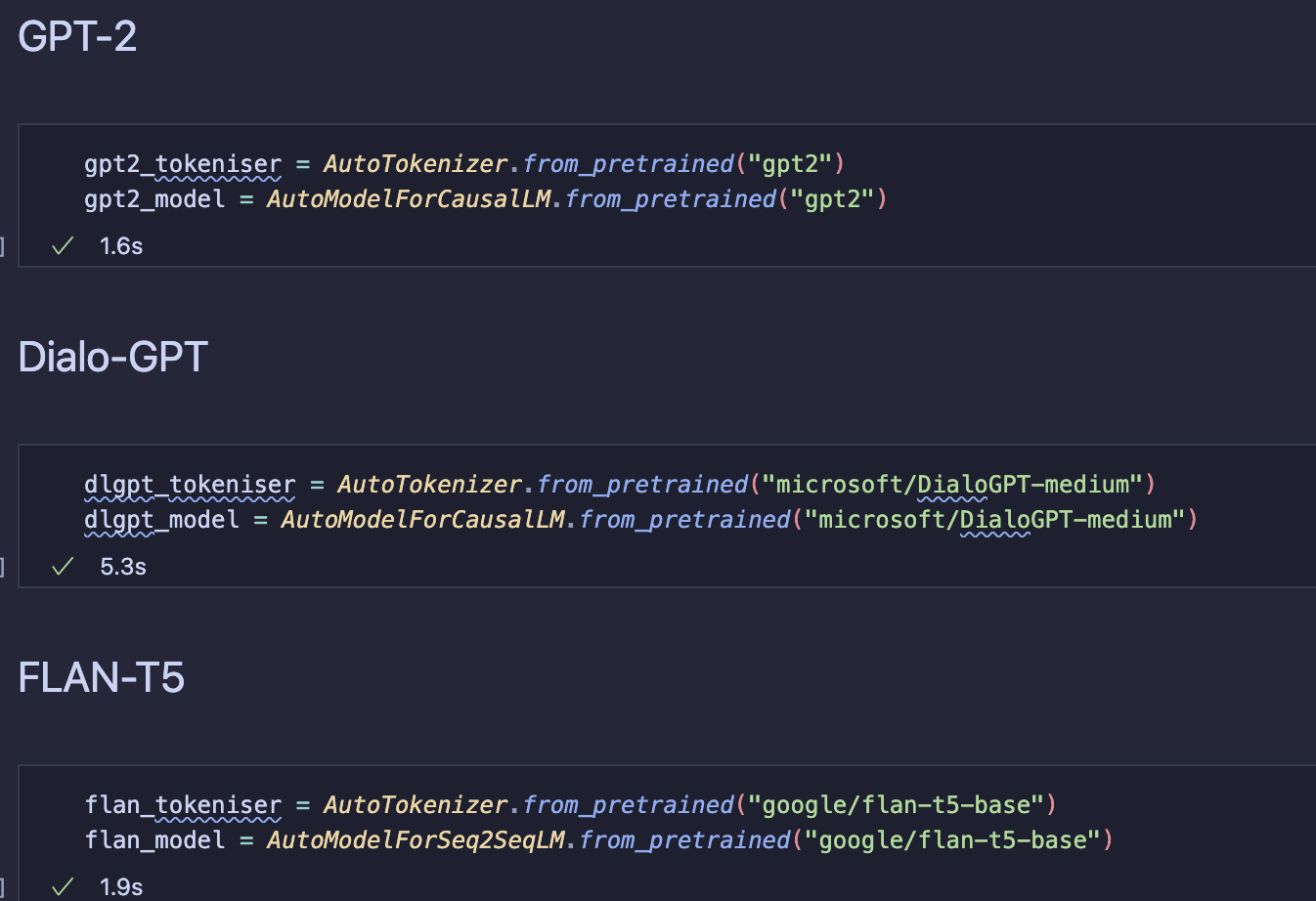
I chose a small set of lightweight and easy-to-load models to experiment with and compare responses:
1). GPT-2
-
Chosen as a baseline model to compare more advanced models to
-
Widely used and easy to run locally
-
Useful to see how a general purpose model (that predicts the next token) handles instruction and conversation based prompts
2). Dialo-GPT
-
Trained on large amounts of conversational data from Reddit
-
Designed to generate dialogue
-
Useful to see how conversation-focused training data affects chatbot behaviour
3). FLAN-T5 (Base)
-
An instruction tuned model trained to follow explicit instructions
-
Expected to perform best for prompt-based interactions (to be tested)
Step 2: Load the tokenisers and model for each chatbot

Step 3: Define a Variety of Prompts / Roles
I’ve chosen five different prompts to test the main qualities I want the final chatbot to have.

Although the models I’m experimenting with are small (and do not use retrieval), I think it’s still useful to start thinking early about the kind of prompts users will send to the final chatbot. Some prompts are instruction-based, like asking the model to perform a specific task, while others are conversational, like asking “How are you?”.
Step 4: Run Experiments
Iterate over the defined prompts and models, storing the generated responses for evaluation.
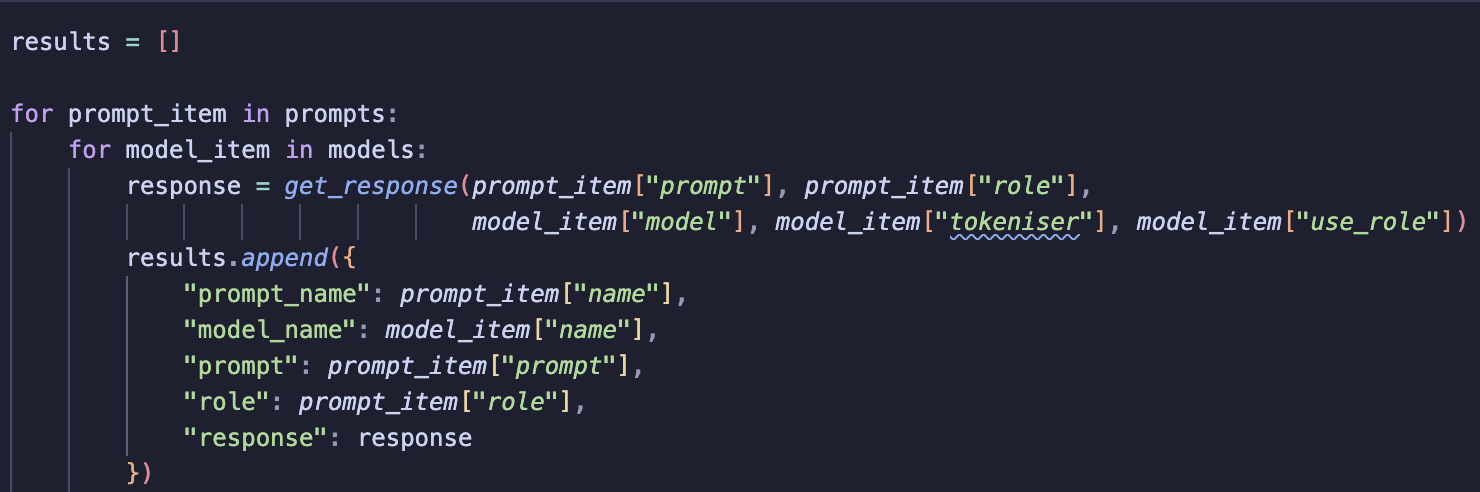
I store the generated responses in a dataframe for easier evaluation:

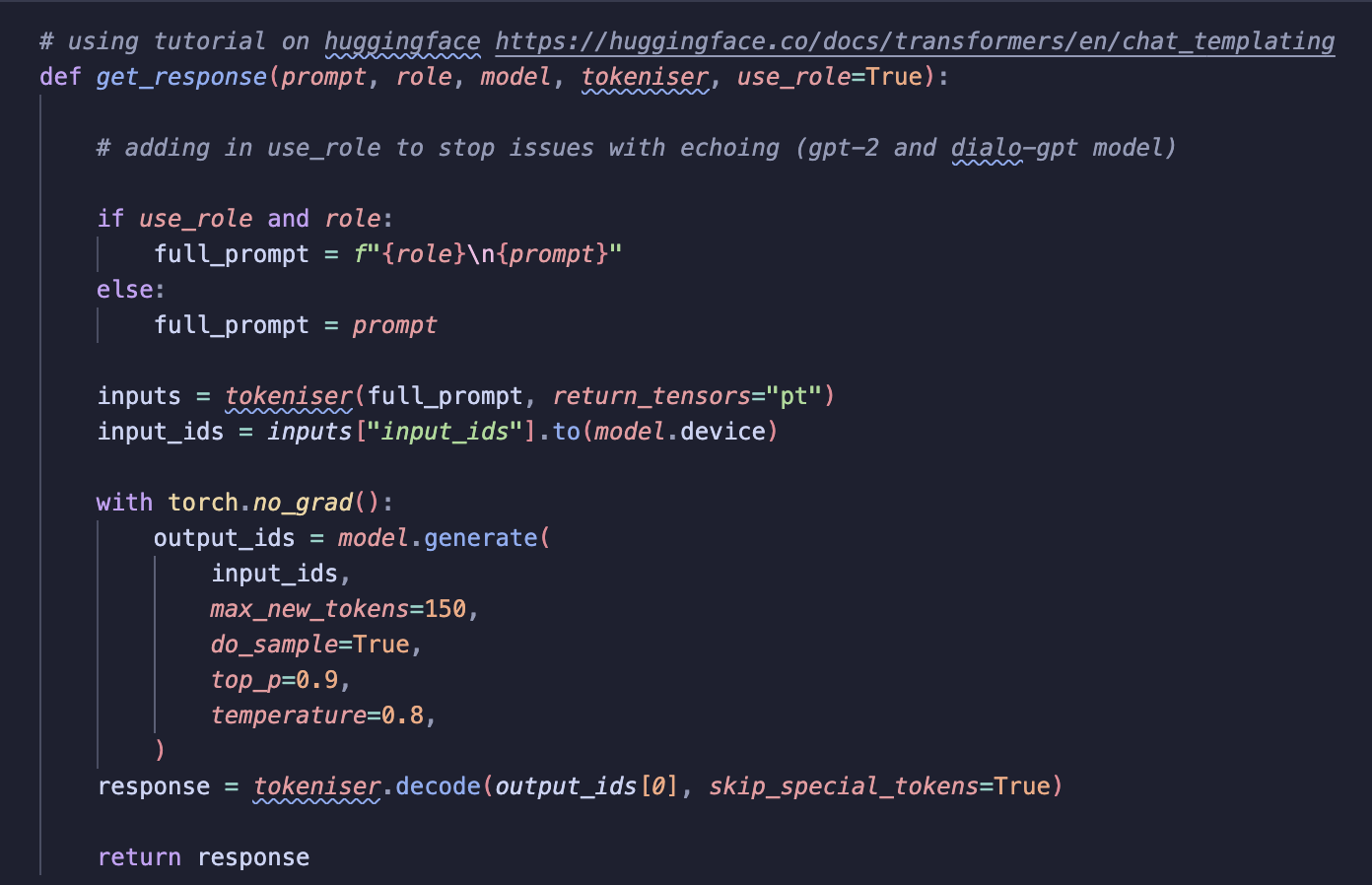
Below is the function used to generate responses from each chatbot model. I adapted this function from a Hugging Face tutorial on chat templating (see here). The function handles prompt formatting, tokenisation, response generation and decoding.
Step 5: Evaluate the Results
I evaluated responses by reading each one and judging its quality. This is a qualitative approach, which felt right given the small number of prompts being tested. It’s a tricky task to evaluate LLM responses and requires some thought if I want to build some quantitative metrics! This is something to think more carefully about in later stages of the project. For example, when building the final chatbot it may be useful to use an LLM as a judge.

Results
GPT-2
-
Often repeats the prompt before responding
-
Responses are frequently off-topic
-
Not well suited for instruction-based prompts
DialoGPT
-
Frequently echoes the prompt
-
Sometimes fails to produce a response at all
-
Best suited for informal chat, not instructions
FLAN-T5
-
Performs best overall
-
Does not echo the prompt or role
-
Responds to all prompts
-
Occasionally brief or repetitive responses
Main Takeaways
Prompt Echoing
Prompt echoing was common in GPT-2 and DialoGPT.
I initially tried removing the role from the prompt, thinking it might be causing the issue, but this didn’t help. The models continued to repeat the input regardless. This behaviour makes sense when considering training data:
-
GPT-2 is designed to continue text, not follow instructions
-
DialoGPT was trained on Reddit conversations, where mirroring input is common
The models were behaving as expected based on their design.
Instruction Tuning Matters
FLAN-T5, despite also being a small model, handled prompts much better.
Instruction tuning clearly improves response relevance and reduces prompt echoing.
Speed vs Quality Trade-off
-
Smaller models load quickly but struggle with instructions and output quality
-
Instruction-tuned models give better responses but may require more compute
This is an important trade-off to consider when moving towards a RAG chatbot.
Web App Demo
As a final part of this phase, I wanted to test how to deploy the best-performing model using Streamlit. Below is a quick demo: The model performs okay but as mentioned earlier, I will need a larger model with more parameters to return high quality responses. This phase was mainly about understanding chatbots and exploring the full end-to-end workflow!
Summary
This was a quick experiment with relatively low implementation efforts but I’ve already learned a lot about how chatbots actually work! Before this, I hadn’t really considered how different chatbot models can be. Naively, I assumed that most chatbots operated in a similar way and all were designed to answer similar prompts. One of the biggest takeaways was understanding prompt echoing and why it happens, especially in smaller or non-instruction-tuned models. I feel much more confident and better prepared to move on to the next stage: choosing the right model and processing documents for the RAG chatbot.