SimBot Has Skills: What are Skills? ⚙️

In my previous post, I outlined my next project: adding skills to SimBot to introduce a tutor mode that helps users learn concepts from my blog posts. The idea is to have two modes: one for structured learning and another for simple retrieval (which is how SimBot currently works).
Recently, there has been a lot of talk around “agent skills” and agent-based systems. In this project, however, I’m using the term “skills” in a simpler way to describe the different tools SimBot can use to carry out tasks. These will be implemented using tool calling and prompting, rather than an agent-based framework.
Understanding Skills in SimBot
In the context of SimBot, a skill defines what the chatbot is trying to achieve, such as recommending blog posts or generating quizzes. To action a skill, SimBot uses tools. Tools contain the code and logic needed to perform specific tasks.
To better understand this, here is a simple example of what a skill looks like:
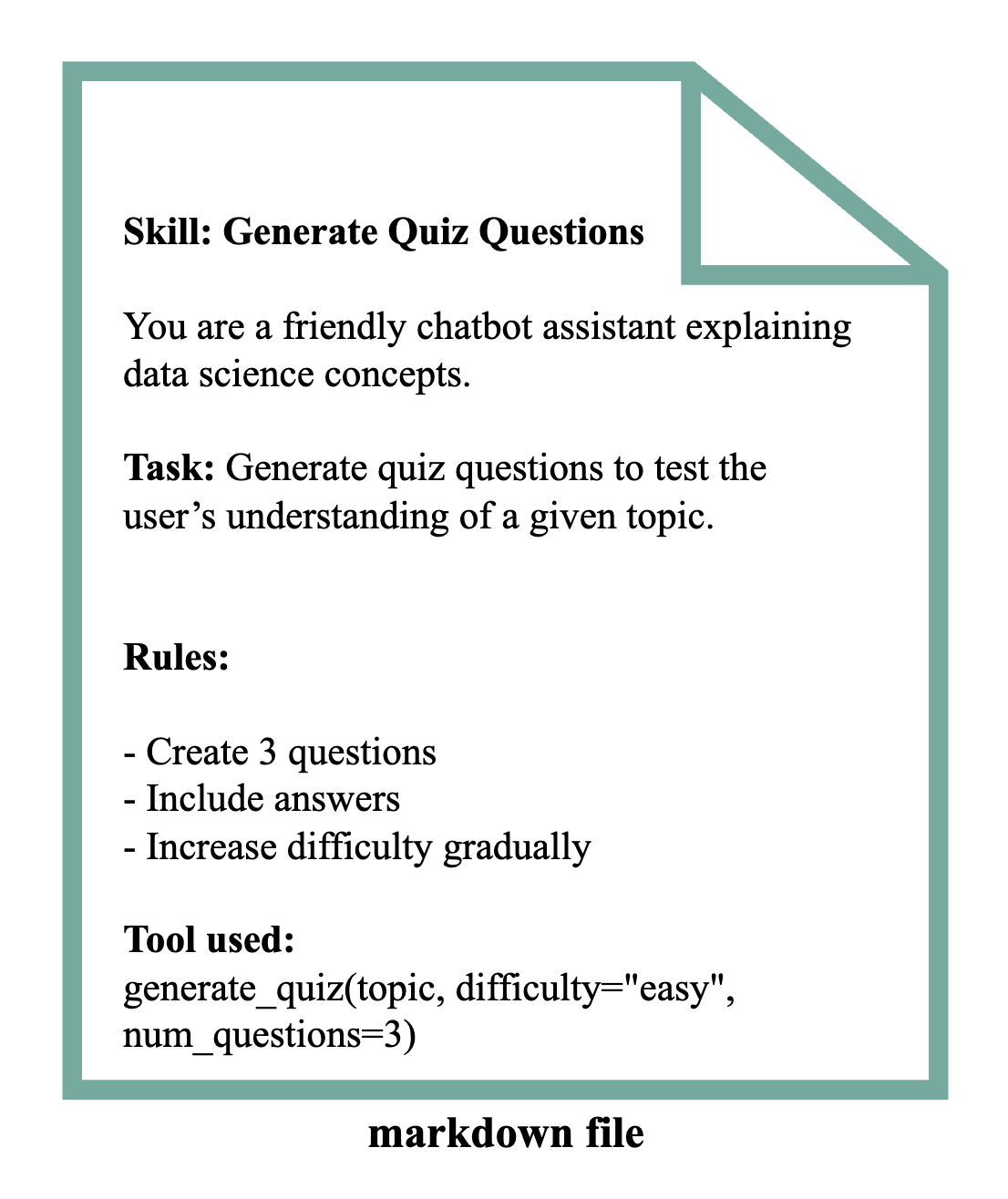
Each skill is stored in a markdown file and maps to one or more tools defined elsewhere.
How SimBot will use Skills
SimBot will build on top of the existing RAG pipeline by introducing a skill layer. Instead of returning retrieval-based responses, user inputs are routed through skills that define different tasks. The workflow will look something like this:
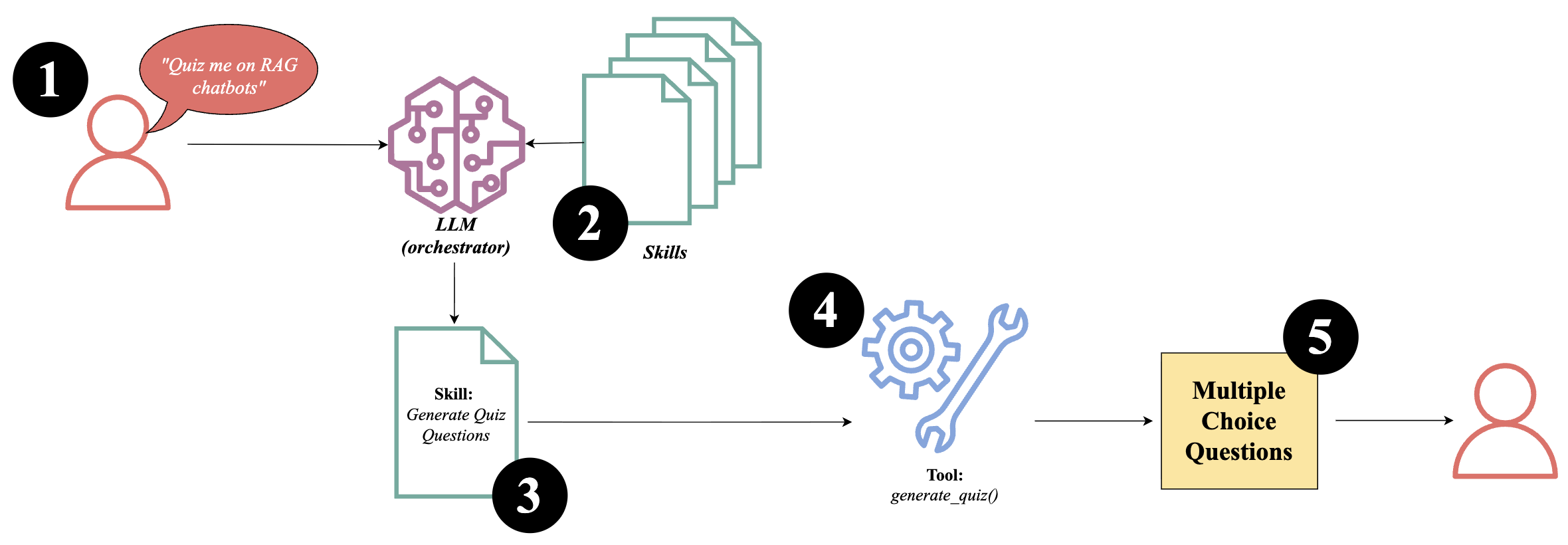
1). User sends a message
-
User sends a message to SimBot as normal
-
E.g. “Quiz me on RAG chatbots”
2). Skill selection
-
LLM acts as an orchestrator, it interprets the user’s message
-
It selects the most appropriate skill to handle the request
3). Skill/s execution
-
The selected skill is executed
-
It is possible for more than one skill to be executed sequentially if multiple actions are useful to user’s request
4). Tool calling
- The skill calls one or more tools needed to perform the task
5). Response generation
-
Outputs from tool/s are processed
-
A final response is generated and returned to the user
Tutor Mode
The workflow above is a basic overview of how SimBot’s skills system works.
I’m still deciding how autonomous Tutor Mode should be. A first version will likely be reactive, handling direct requests like quizzes or explanations. A more advanced version could become more proactive, coordinating multiple skills to behave more like a teacher than a tool caller.
For example, if the user says: “Explain RAG chatbots”, Tutor Mode might:
-
Recommend relevant reading to build foundational understanding
-
Explain the core concepts of RAG chatbots
-
Generate a quiz to reinforce learning
-
Detect misunderstandings
-
Suggest the next topic for learning
Next Steps
Over the next few weeks, my focus will be on building out each skill, starting with the simplest one: Recommended Blog Posts. The goal is to develop and test each skill, rather than building everything at once.
I also plan to write a blog post for each skill as it is implemented. Documenting the process helps me think more carefully about design decisions and how everything fits together.
I’m excited to start this project and hope it goes as smoothly as building my chatbot.